Si la API de CaptchaAI te devuelve un token válido pero el navegador lo rechaza al enviar el formulario, el token casi nunca es el culpable. El fallo vive en el último tramo: cómo inyectas ese token en la página y si disparas el callback que el sitio espera antes de aceptar el envío.
Esta guía recorre las causas concretas —selector equivocado, callback que no se activa, token caducado, pageurl que no coincide y detección de bots— con el código para diagnosticar y corregir cada una. Los ejemplos usan Python y Selenium, pero la lógica vale igual en Playwright y Puppeteer.
Dónde se rompe la cadena entre resolver y enviar
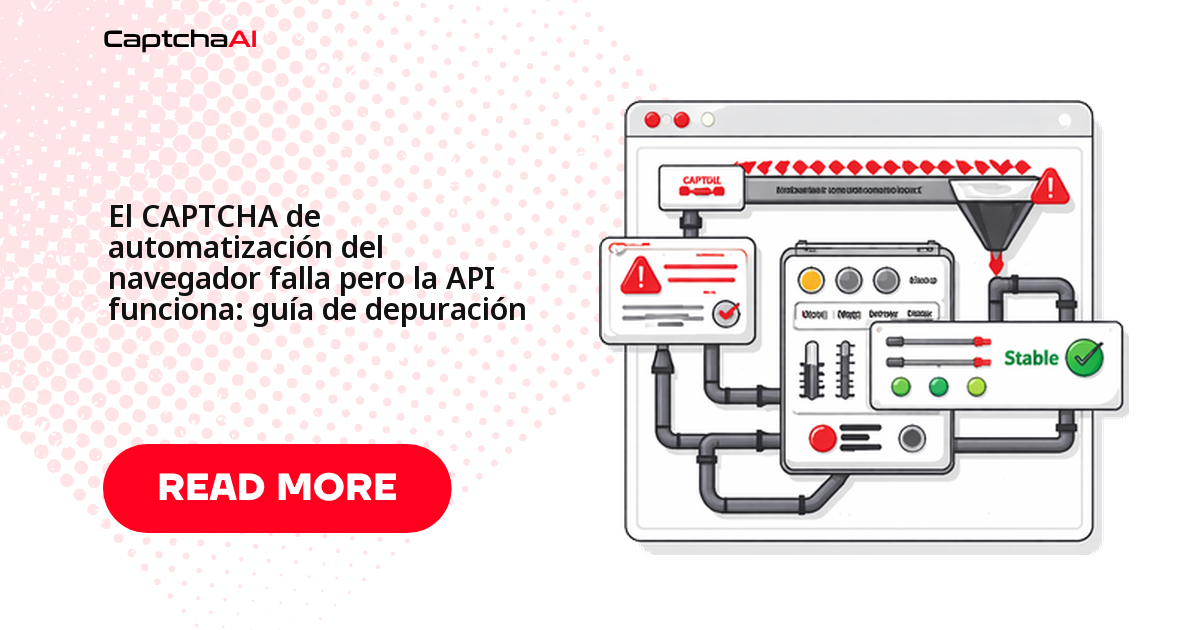
Cuando la resolución por API funciona pero el navegador falla, el problema está en uno de estos cinco puntos. Ubica tu síntoma antes de tocar código:
| Problema | Síntoma | Causa raíz |
|---|---|---|
| El token no llega al elemento correcto | El formulario se envía sin token | Selector del textarea equivocado |
| El token caduca antes del envío | El sitio vuelve a mostrar el CAPTCHA | Demasiado tiempo entre resolver y enviar |
| El callback no se dispara | El botón de envío sigue deshabilitado | Falta llamar al callback de grecaptcha |
| pageurl incorrecta enviada a la API | Token no válido para ese dominio | La URL no coincide |
| Detección de bots más allá del CAPTCHA | Bloqueo tras aceptar el token | Señales del navegador automatizado |
Un orden de diagnóstico que ahorra tiempo:
- Empieza por el token y el callback: cubren la mayoría de los casos.
- Si el token entra pero el sitio lo rechaza, sospecha de la caducidad o de una
pageurlque no coincide. - Deja la detección de bots para el final: solo aplica cuando el token se acepta y aun así hay bloqueo.
Inyecta el token de reCAPTCHA v2 en el elemento correcto
El token tiene que llegar al textarea con nombre g-recaptcha-response y, además, hay que disparar el callback. Escribir el valor sin activar el callback es la causa número uno de formularios que se envían "vacíos". El script recorre todos los textarea, por si hay varios widgets reCAPTCHA:
from selenium import webdriver
from selenium.webdriver.common.by import By
import time


def inject_recaptcha_token(driver, token):
    """Properly inject reCAPTCHA v2 token in browser."""

    # Step 1: Make the response textarea visible and set the value
    driver.execute_script("""
        // Find all response textareas (may be multiple on page)
        var textareas = document.querySelectorAll('[name="g-recaptcha-response"]');
        textareas.forEach(function(ta) {
            ta.style.display = 'block';
            ta.value = arguments[0];
        });

        // Also set via ID if present
        var byId = document.getElementById('g-recaptcha-response');
        if (byId) {
            byId.style.display = 'block';
            byId.value = arguments[0];
        }
    """, token)

    # Step 2: Trigger the callback
    driver.execute_script("""
        // Try standard callback
        if (typeof ___grecaptcha_cfg !== 'undefined') {
            var clients = ___grecaptcha_cfg.clients;
            for (var key in clients) {
                var client = clients[key];
                // Navigate nested structure to find callback
                for (var prop in client) {
                    var val = client[prop];
                    if (val && typeof val === 'object') {
                        for (var subprop in val) {
                            var subval = val[subprop];
                            if (subval && typeof subval === 'object' && subval.callback) {
                                subval.callback(arguments[0]);
                                return;
                            }
                        }
                    }
                }
            }
        }
        // Fallback: try common callback names
        if (typeof onCaptchaSuccess === 'function') onCaptchaSuccess(arguments[0]);
        else if (typeof captchaCallback === 'function') captchaCallback(arguments[0]);
    """, token)


# Usage
driver = webdriver.Chrome()
driver.get("https://example.com/form")
# ... solve CAPTCHA via CaptchaAI ...
inject_recaptcha_token(driver, token)
time.sleep(1)
driver.find_element(By.CSS_SELECTOR, "button[type=submit]").click()
Antes de pasar al callback, verifica que la inyección funcionó:
- El
textareacon nombreg-recaptcha-responseexiste y quedó con valor. - No hay más de un widget: si los hay, todos reciben el token.
- El envío ocurre después de escribir el valor, no antes.
Activa el callback cuando el formulario depende de él
Muchos formularios mantienen el botón de envío deshabilitado hasta que el callback de reCAPTCHA confirma la resolución; si solo escribes el token, sigue bloqueado. Estas dos estrategias localizan el callback —por el atributo data-callback y, si no aparece, en la configuración interna de grecaptcha— y lo llaman con tu token:
def find_and_trigger_callback(driver, token):
    """Find the reCAPTCHA callback and trigger it."""

    # Method 1: Extract callback from data attribute
    callback_name = driver.execute_script("""
        var widget = document.querySelector('.g-recaptcha');
        if (widget) {
            return widget.getAttribute('data-callback');
        }
        return null;
    """)

    if callback_name:
        driver.execute_script(f"window['{callback_name}'](arguments[0]);", token)
        return True

    # Method 2: Extract from grecaptcha config
    triggered = driver.execute_script("""
        try {
            var widgetId = 0;
            var callback = ___grecaptcha_cfg.clients[widgetId].aa.l.callback;
            if (typeof callback === 'function') {
                callback(arguments[0]);
                return true;
            }
        } catch(e) {}
        return false;
    """, token)

    return triggered
Reduce al mínimo el tiempo entre resolver e inyectar
Un token de reCAPTCHA v2 caduca en unos dos minutos. Si resuelves, guardas el token y lo inyectas más tarde, el sitio volverá a mostrar el CAPTCHA. La regla práctica: sondea el resultado, inyecta en cuanto llegue y envía el formulario de inmediato.
Un caso típico en la región: un equipo que automatiza el QA de un portal de cita previa resuelve el CAPTCHA en un worker y encola el token para usarlo después. Para cuando el navegador lo necesita, ya expiró. Mantén siempre resolver e inyectar en el mismo paso.
import requests
import time


def solve_and_inject_fast(driver, api_key, sitekey, page_url):
    """Solve CAPTCHA and inject token with minimal delay."""
    # Submit solve request
    resp = requests.post("https://ocr.captchaai.com/in.php", data={
        "key": api_key,
        "method": "userrecaptcha",
        "googlekey": sitekey,
        "pageurl": page_url,
        "json": 1,
    }, timeout=30)
    task_id = resp.json()["request"]

    # Poll for result
    time.sleep(15)
    for _ in range(24):
        resp = requests.get("https://ocr.captchaai.com/res.php", params={
            "key": api_key, "action": "get",
            "id": task_id, "json": 1,
        }, timeout=15)
        data = resp.json()

        if data.get("status") == 1:
            token = data["request"]

            # IMMEDIATELY inject — don't wait
            inject_recaptcha_token(driver, token)

            # Submit form within 5 seconds
            time.sleep(0.5)
            return True

        if data["request"] != "CAPCHA_NOT_READY":
            raise RuntimeError(data["request"])
        time.sleep(5)

    raise TimeoutError("Solve timeout")
Envía a la API la pageurl que ve realmente el navegador
La API valida el token contra el dominio que le pasas en pageurl. Si tu app es una SPA o el CAPTCHA vive en un iframe, la URL con la que navegaste puede no coincidir con la que reCAPTCHA considera actual, y el token saldrá inválido. Usa siempre la URL real del navegador al resolver:
def get_correct_pageurl(driver):
    """Get the URL that reCAPTCHA actually sees."""

    # Check if CAPTCHA is in an iframe
    iframes = driver.find_elements(By.TAG_NAME, "iframe")

    for iframe in iframes:
        src = iframe.get_attribute("src") or ""
        if "recaptcha" in src or "anchor" in src:
            # CAPTCHA is in iframe — use parent page URL
            return driver.current_url

    # For SPAs, use current URL (may differ from initial load)
    return driver.current_url


# WRONG — using the URL you navigated to
pageurl = "https://example.com/form"  # May have redirected

# CORRECT — using the URL the browser is actually on
pageurl = get_correct_pageurl(driver)
Cuando el bloqueo va más allá del CAPTCHA
Si el token se acepta pero recibes un 403 al enviar, el CAPTCHA ya no es el problema: el sitio detecta la automatización por otras señales. Antes de complicar la configuración, prueba en modo headed con un tamaño de ventana realista; muchos bloqueos desaparecen así. Recuerda además respetar los términos de servicio del sitio y la normativa de protección de datos aplicable.
from selenium import webdriver
from selenium.webdriver.chrome.options import Options
from selenium.webdriver.chrome.service import Service


def create_driver():
    """Create a Chrome browser instance for testing."""
    options = Options()

    # Set realistic window size
    options.add_argument("--window-size=1920,1080")
    options.add_argument("--no-sandbox")

    driver = webdriver.Chrome(options=options)
    return driver


driver = create_driver()
Comprobaciones rápidas cuando el bloqueo persiste con un token aceptado:
- Ejecuta en modo headed con una ventana de tamaño realista antes de tocar nada más.
- Revisa que las cabeceras y el idioma del navegador sean coherentes con tu salida de red.
- Confirma que no envías el formulario más rápido que una persona.
Inyecta el token de Cloudflare Turnstile
Turnstile no usa el mismo campo ni el mismo callback que reCAPTCHA. El token va a un input con nombre cf-turnstile-response, y conviene emitir los eventos input y change para que el formulario lo registre:
def inject_turnstile_token(driver, token):
    """Inject Turnstile token into the page."""
    driver.execute_script("""
        // Find Turnstile response input
        var inputs = document.querySelectorAll(
            'input[name="cf-turnstile-response"], ' +
            'input[name="g-recaptcha-response"]'
        );

        inputs.forEach(function(input) {
            input.value = arguments[0];
        });

        // Trigger change event
        inputs.forEach(function(input) {
            input.dispatchEvent(new Event('change', { bubbles: true }));
            input.dispatchEvent(new Event('input', { bubbles: true }));
        });

        // Try Turnstile callback
        if (window.turnstile) {
            var widgets = document.querySelectorAll('[data-callback]');
            widgets.forEach(function(w) {
                var cb = w.getAttribute('data-callback');
                if (typeof window[cb] === 'function') {
                    window[cb](arguments[0]);
                }
            });
        }
    """, token)
Checklist de diagnóstico rápido
Cuando no sabes dónde está el fallo, vuelca el estado real de la página: esta función te dice si el textarea existe, si tiene valor, si grecaptcha cargó y qué callback declara el widget:
def debug_captcha_injection(driver, token):
    """Print debug info to diagnose injection failures."""
    info = driver.execute_script("""
        var result = {};

        // Check textarea exists
        var ta = document.querySelector('[name="g-recaptcha-response"]');
        result.textarea_found = !!ta;
        result.textarea_value_set = ta ? ta.value.length > 0 : false;

        // Check reCAPTCHA loaded
        result.grecaptcha_loaded = typeof grecaptcha !== 'undefined';

        // Check for callback
        var widget = document.querySelector('.g-recaptcha');
        result.has_data_callback = widget ? !!widget.getAttribute('data-callback') : false;
        result.callback_name = widget ? widget.getAttribute('data-callback') : null;

        // Current URL
        result.current_url = window.location.href;

        // Check for errors in console (basic)
        result.has_submit_button = !!document.querySelector('button[type=submit], input[type=submit]');

        return result;
    """)

    for key, value in info.items():
        print(f"  {key}: {value}")

    return info
Síntomas y soluciones de un vistazo
| Síntoma | Causa | Solución |
|---|---|---|
| Token inyectado pero el formulario lo rechaza | El callback no se disparó | Localiza y llama a la función callback |
| El botón de envío sigue deshabilitado | El callback es quien lo habilita | Dispara el callback tras inyectar el token |
| "CAPTCHA no válido" tras enviar | Token caducado | Acorta el tiempo entre resolver y enviar |
| 403 tras enviar el formulario | Detección de bots (no el CAPTCHA) | Prueba en modo headed y con ventana realista |
| Funciona en requests, falla en el navegador | pageurl distinta | Usa driver.current_url como pageurl |
Preguntas frecuentes
¿Cuánto tiempo sigue siendo válido el token de reCAPTCHA v2?
Alrededor de dos minutos. Por eso conviene inyectarlo y enviar el formulario en el mismo paso; si lo almacenas para usarlo después, lo más probable es que ya haya caducado cuando el navegador lo necesite.
El token funciona en requests pero no en el navegador, ¿por qué?
Casi siempre porque el callback no se dispara. En una llamada directa a la API el token se valida sin más, pero en el navegador el formulario suele depender del callback para habilitar el envío o rellenar campos ocultos.
¿Cómo distingo un fallo de selector de uno de callback?
Ejecuta la función de diagnóstico de esta guía: si textarea_value_set es false, el problema es el selector; si el valor está puesto pero el botón sigue deshabilitado, el problema es el callback.
¿La API de CaptchaAI resuelve también Cloudflare Turnstile?
Sí. CaptchaAI resuelve reCAPTCHA v2/v3, Cloudflare Turnstile y Challenge, GeeTest v3 e imágenes/OCR, entre otros tipos. Cada uno usa su propio campo de token, así que reutiliza el patrón de inyección que corresponda.
Guías relacionadas
- Turnstile devuelve 403 después de inyectar el token
- Inicio rápido de CaptchaAI
- Cómo resolver reCAPTCHA v2 con la API