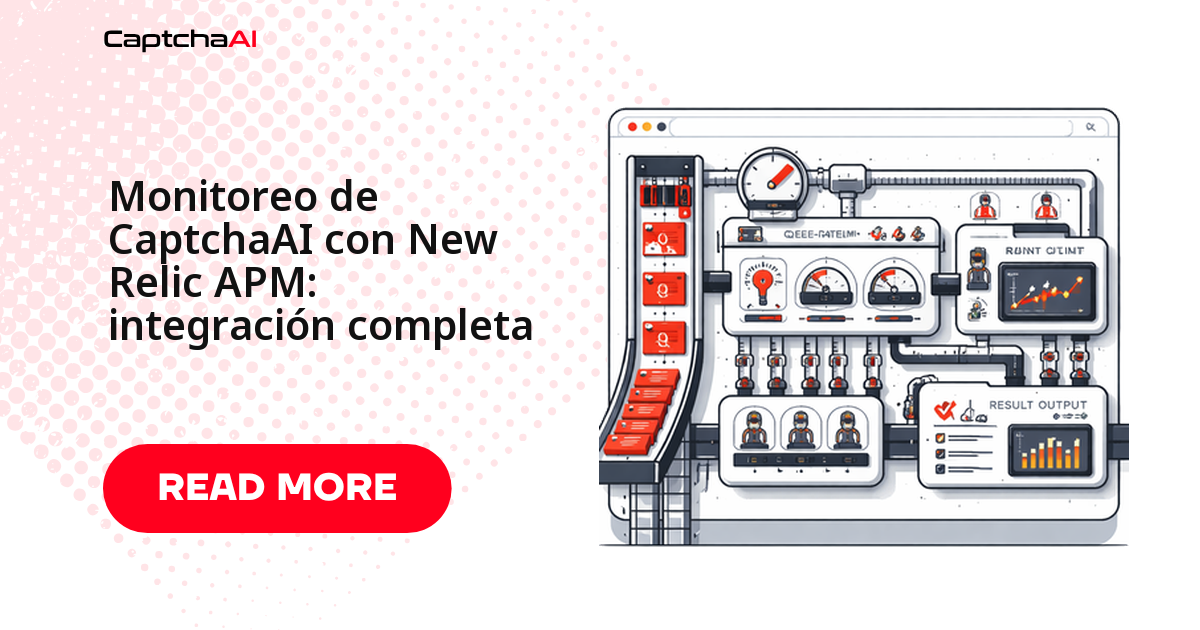
Para monitorear CaptchaAI con New Relic APM, instrumentas cada resolución como una transacción en segundo plano y emites eventos personalizados con el tiempo de resolución, el tipo de CAPTCHA y los códigos de error. Con eso conviertes un pipeline opaco en métricas que puedes graficar y sobre las que puedes alertar.
En producción, la resolución de CAPTCHA casi nunca se cae de golpe: primero la tasa de éxito baja unos puntos, luego el sondeo tarda más y las tareas se acumulan, y para cuando alguien lo nota los jobs llevan horas fallando en silencio. New Relic te da visibilidad de extremo a extremo —desde el envío a la API hasta la entrega del token— para detectar esa degradación temprano.
Qué medir: las tres fases de una resolución
Cada resolución pasa por tres fases y cada una tiene su propia señal de salud. Instrumenta las tres por separado para saber dónde se rompe algo, no solo que se rompió:
[Submit Task] → [Wait for Solution] → [Apply Token]
     ↓                  ↓                   ↓
  Submit latency    Poll duration       Token usage
  API errors        Timeout rate        Success rate
Cada fase emite una señal distinta:
- Envío: ¿responde la API? Un pico de errores aquí apunta a la red o a la clave.
- Sondeo: ¿cuánto tarda la solución en estar lista? Si sube, sospecha de la carga del servicio o de un tipo de CAPTCHA más lento.
- Aplicación del token: ¿la solución sirvió de verdad? Es donde se ve la tasa de éxito real.
Instrumentación personalizada en Python con New Relic
Envuelve la resolución en una tarea en segundo plano (background_task), añade atributos para filtrar por tipo de CAPTCHA y URL, y registra un evento distinto en éxito y en error. Cada función interna (_submit_task, _poll_result) lleva su propio function_trace, así ves el desglose por fase directamente en la traza:
import os
import time
import requests
import newrelic.agent

API_KEY = os.environ["CAPTCHAAI_API_KEY"]
session = requests.Session()


@newrelic.agent.background_task(name="captcha_solve", group="CaptchaAI")
def solve_captcha(sitekey, pageurl, captcha_type="recaptcha_v2"):
    """Solve a CAPTCHA with full New Relic instrumentation."""
    # Add custom attributes for filtering
    newrelic.agent.add_custom_attributes([
        ("captcha_type", captcha_type),
        ("target_url", pageurl),
    ])

    # Submit phase
    submit_result = _submit_task(sitekey, pageurl, captcha_type)
    if "error" in submit_result:
        newrelic.agent.record_custom_event("CaptchaSolveError", {
            "error": submit_result["error"],
            "phase": "submit",
            "captcha_type": captcha_type,
        })
        return submit_result

    # Poll phase
    captcha_id = submit_result["captcha_id"]
    poll_result = _poll_result(captcha_id, captcha_type)

    # Record solve event
    event_data = {
        "captcha_type": captcha_type,
        "captcha_id": captcha_id,
        "success": "solution" in poll_result,
    }
    if "solution" in poll_result:
        event_data["solve_time"] = poll_result.get("elapsed", 0)
        newrelic.agent.record_custom_event("CaptchaSolveSuccess", event_data)
    else:
        event_data["error"] = poll_result.get("error", "unknown")
        newrelic.agent.record_custom_event("CaptchaSolveError", event_data)

    return poll_result


@newrelic.agent.function_trace(name="captcha_submit")
def _submit_task(sitekey, pageurl, captcha_type):
    payload = {
        "key": API_KEY,
        "method": "userrecaptcha",
        "googlekey": sitekey,
        "pageurl": pageurl,
        "json": 1
    }
    resp = session.post("https://ocr.captchaai.com/in.php", data=payload)
    data = resp.json()

    newrelic.agent.add_custom_attributes([
        ("submit_status", data.get("status")),
    ])

    if data.get("status") != 1:
        return {"error": data.get("request")}
    return {"captcha_id": data["request"]}


@newrelic.agent.function_trace(name="captcha_poll")
def _poll_result(captcha_id, captcha_type):
    start = time.time()
    poll_count = 0

    for _ in range(60):
        time.sleep(5)
        poll_count += 1
        result = session.get("https://ocr.captchaai.com/res.php", params={
            "key": API_KEY, "action": "get", "id": captcha_id, "json": 1
        }).json()

        if result.get("status") == 1:
            elapsed = time.time() - start
            newrelic.agent.add_custom_attributes([
                ("poll_count", poll_count),
                ("solve_time_seconds", round(elapsed, 2)),
            ])
            return {"solution": result["request"], "elapsed": elapsed}

        if result.get("request") != "CAPCHA_NOT_READY":
            return {"error": result.get("request")}

    return {"error": "TIMEOUT"}


def report_balance():
    """Record balance as a custom event."""
    resp = session.get("https://ocr.captchaai.com/res.php", params={
        "key": API_KEY, "action": "getbalance", "json": 1
    })
    data = resp.json()
    if data.get("status") == 1:
        balance = float(data["request"])
        newrelic.agent.record_custom_event("CaptchaBalance", {
            "balance": balance,
            "low": balance < 10,
        })
        return balance
    return None
La instrumentación emite tres eventos que luego consultas en NRQL:
CaptchaSolveSuccess— tiempo de resolución y tipo, en cada acierto.CaptchaSolveError— código de error y fase (submitopoll).CaptchaBalance— tu saldo, con la marcalowcuando baja de $10.
La función report_balance es la que suele olvidarse: registra tu saldo de CaptchaAI para que el pipeline no se quede a cero sin aviso a mitad de un lote.
Configuración del agente de New Relic (newrelic.ini)
Sin custom_insights_events.enabled = true, ninguno de los eventos anteriores llega al panel. Bajar el umbral de trazas también ayuda a capturar las resoluciones lentas:
# newrelic.ini
[newrelic]
app_name = CaptchaAI Pipeline
license_key = YOUR_NEW_RELIC_LICENSE_KEY
monitor_mode = true
log_level = info
transaction_tracer.enabled = true
transaction_tracer.transaction_threshold = 5.0
custom_insights_events.enabled = true
custom_insights_events.max_samples_stored = 5000
Un caso típico: una agencia en Latinoamérica que hace web scraping de monitoreo de precios para varios clientes y factura en USD. Con la tasa y la latencia en un dashboard, el equipo sabe cuándo el volumen justifica pasar de BASIC ($15/mes, 5 threads) a ADVANCE ($90/mes, 50 threads) —un costo predecible en dólares en vez de una corazonada— y detecta al instante si un cambio en un sitio objetivo disparó los errores.
Instrumentación en JavaScript (Node.js) con New Relic
El equivalente en Node.js usa startBackgroundTransaction y la misma pareja de eventos CaptchaSolveSuccess / CaptchaSolveError. Fíjate en noticeError dentro del catch: así las excepciones no controladas también quedan atribuidas a la transacción:
const newrelic = require("newrelic");
const axios = require("axios");

const API_KEY = process.env.CAPTCHAAI_API_KEY;

async function solveCaptchaWithNewRelic(sitekey, pageurl, captchaType = "recaptcha_v2") {
  return newrelic.startBackgroundTransaction(
    "CaptchaSolve",
    "CaptchaAI",
    async () => {
      const transaction = newrelic.getTransaction();
      newrelic.addCustomAttributes({
        captchaType,
        targetUrl: pageurl,
      });

      const startTime = Date.now();

      try {
        // Submit
        const submitResp = await axios.post(
          "https://ocr.captchaai.com/in.php",
          null,
          {
            params: {
              key: API_KEY,
              method: "userrecaptcha",
              googlekey: sitekey,
              pageurl: pageurl,
              json: 1,
            },
          }
        );

        if (submitResp.data.status !== 1) {
          newrelic.recordCustomEvent("CaptchaSolveError", {
            error: submitResp.data.request,
            phase: "submit",
            captchaType,
          });
          transaction.end();
          return { error: submitResp.data.request };
        }

        const captchaId = submitResp.data.request;
        newrelic.addCustomAttributes({ captchaId });

        // Poll
        let pollCount = 0;
        for (let i = 0; i < 60; i++) {
          await new Promise((r) => setTimeout(r, 5000));
          pollCount++;

          const pollResp = await axios.get(
            "https://ocr.captchaai.com/res.php",
            {
              params: {
                key: API_KEY, action: "get", id: captchaId, json: 1,
              },
            }
          );

          if (pollResp.data.status === 1) {
            const elapsed = (Date.now() - startTime) / 1000;
            newrelic.recordCustomEvent("CaptchaSolveSuccess", {
              captchaType,
              solveTime: elapsed,
              pollCount,
            });
            newrelic.addCustomAttributes({
              solveTime: elapsed,
              pollCount,
            });
            transaction.end();
            return { solution: pollResp.data.request, elapsed };
          }

          if (pollResp.data.request !== "CAPCHA_NOT_READY") {
            newrelic.recordCustomEvent("CaptchaSolveError", {
              error: pollResp.data.request,
              phase: "poll",
              captchaType,
            });
            transaction.end();
            return { error: pollResp.data.request };
          }
        }

        newrelic.recordCustomEvent("CaptchaSolveError", {
          error: "TIMEOUT",
          phase: "poll",
          captchaType,
          pollCount,
        });
        transaction.end();
        return { error: "TIMEOUT" };
      } catch (err) {
        newrelic.noticeError(err);
        transaction.end();
        throw err;
      }
    }
  );
}

// Balance monitoring
async function monitorBalance() {
  try {
    const resp = await axios.get("https://ocr.captchaai.com/res.php", {
      params: { key: API_KEY, action: "getbalance", json: 1 },
    });
    if (resp.data.status === 1) {
      const balance = parseFloat(resp.data.request);
      newrelic.recordCustomEvent("CaptchaBalance", { balance });
    }
  } catch (err) {
    newrelic.noticeError(err);
  }
}

setInterval(monitorBalance, 60000);

module.exports = { solveCaptchaWithNewRelic };
Consultas NRQL para construir el dashboard
Con los eventos ya llegando, un buen dashboard cubre seis señales:
- tasa de éxito de la última hora,
- tiempo medio de resolución por tipo de CAPTCHA,
- desglose de errores por código,
- latencia P95,
- saldo a lo largo del tiempo,
- tareas por minuto.
Pega estas consultas NRQL tal cual en un dashboard de New Relic:
-- Solve success rate (last hour)
SELECT percentage(count(*), WHERE success = true)
FROM CaptchaSolveSuccess, CaptchaSolveError
SINCE 1 hour ago

-- Average solve time by CAPTCHA type
SELECT average(solveTime)
FROM CaptchaSolveSuccess
FACET captchaType
SINCE 1 hour ago TIMESERIES

-- Error breakdown
SELECT count(*)
FROM CaptchaSolveError
FACET error
SINCE 1 hour ago

-- P95 solve latency
SELECT percentile(solveTime, 95)
FROM CaptchaSolveSuccess
SINCE 1 hour ago TIMESERIES

-- Balance over time
SELECT latest(balance)
FROM CaptchaBalance
SINCE 24 hours ago TIMESERIES 5 minutes

-- Tasks per minute
SELECT rate(count(*), 1 minute)
FROM CaptchaSolveSuccess, CaptchaSolveError
SINCE 1 hour ago TIMESERIES
El FACET captchaType es especialmente útil: separa el rendimiento de reCAPTCHA v2/v3, Cloudflare Turnstile y GeeTest v3, así una regresión en un solo tipo no queda escondida en el promedio global.
Políticas de alerta recomendadas
Un dashboard sirve cuando lo miras; las alertas te avisan cuando no. Estas cuatro cubren los fallos que frenan un pipeline:
| Alerta | Condición NRQL | Umbral |
|---|---|---|
| Tasa de resolución baja | SELECT percentage(count(*), WHERE success = true) |
< 85% durante 5 min |
| Latencia alta | SELECT percentile(solveTime, 95) FROM CaptchaSolveSuccess |
> 120 s durante 10 min |
| Saldo bajo | SELECT latest(balance) FROM CaptchaBalance |
< $10 |
| Pico de errores | SELECT count(*) FROM CaptchaSolveError |
> 50 en 5 min |
Ajusta el umbral de tasa a tu línea base real: si tu flujo normal ronda el 92%, alertar a < 85% te avisa de una degradación de verdad sin dispararse por el ruido de cada minuto.
Resolución de problemas comunes
| Problema | Causa | Solución |
|---|---|---|
| Los eventos personalizados no aparecen | custom_insights_events.enabled está en falso |
Actívalo en newrelic.ini |
| Faltan trazas de transacciones | Umbral demasiado alto | Baja transaction_threshold a 1.0s |
| Atributos truncados | Valor demasiado largo | Mantén los valores de atributo por debajo de 255 caracteres |
| No llegan datos tras el despliegue | Clave de licencia incorrecta o el agente no arranca | Verifica con newrelic-admin validate-config newrelic.ini |
Preguntas frecuentes
¿Puedo vigilar el saldo de mi cuenta de CaptchaAI desde New Relic?
Sí. La función report_balance consulta getbalance y registra un evento CaptchaBalance. Con una consulta NRQL sobre latest(balance) y una alerta a < $10, te enteras antes de quedarte sin saldo y frenar el pipeline a mitad de un lote.
¿Cuántos eventos personalizados puedo enviar sin perder datos?
Depende de custom_insights_events.max_samples_stored (5000 en el ejemplo). Por encima de ese límite, New Relic muestrea dentro de cada ciclo de reporte, así que si resuelves miles de CAPTCHA por hora conviene subir el valor o agregar los eventos antes de emitirlos.
¿Qué umbral de tasa de resolución tiene sentido para alertar?
Depende de tu línea base. Mide unos días con NRQL, toma tu tasa habitual y alerta cuando caiga varios puntos de forma sostenida (por ejemplo, < 85% durante 5 minutos), no ante un bajón puntual que se recupera solo.
¿Esta instrumentación sirve para todos los tipos que resuelve CaptchaAI?
Sí. El atributo captcha_type es genérico, así que la misma instrumentación cubre reCAPTCHA v2/v3, Cloudflare Turnstile, Cloudflare Challenge, GeeTest v3 e imagen/OCR. Solo cambias el valor que pasas al resolver cada tipo.
Artículos relacionados
- Integración de CaptchaAI con Google Cloud Functions
- Integrar Crawlee con CaptchaAI para scraping moderno
- Sistema de monitoreo de reseñas con CaptchaAI
Conecta CaptchaAI con New Relic
Consigue visibilidad completa de tu pipeline de CAPTCHA: empieza con tu clave API de CaptchaAI e instrumenta cada resolución en New Relic para ver la tasa, la latencia y el saldo en un solo panel.
Guías relacionadas: