El punto donde casi todos los flujos de BLS se rompen no es la resolución en sí, sino el paso final: enviar los índices en el mismo orden que devuelve el solver. Si resuelves la cuadrícula por API pero haces clic en las celdas en una secuencia distinta a la esperada, el formulario rechaza el envío aunque la solución sea correcta. Esta guía va directa a ese problema: cómo mapear la cuadrícula a índices, resolverla con CaptchaAI e inyectar la respuesta en el orden y el formato que el sitio espera, con Python y Selenium.
Los BLS CAPTCHA aparecen en los portales de citas de los centros de solicitud de visado BLS, que canalizan un volumen enorme de solicitantes desde América Latina y España, así que el QA de un flujo propio y autorizado en esos portales es un caso muy real para esta audiencia.
Cómo funciona una cuadrícula BLS y por qué el orden es crítico
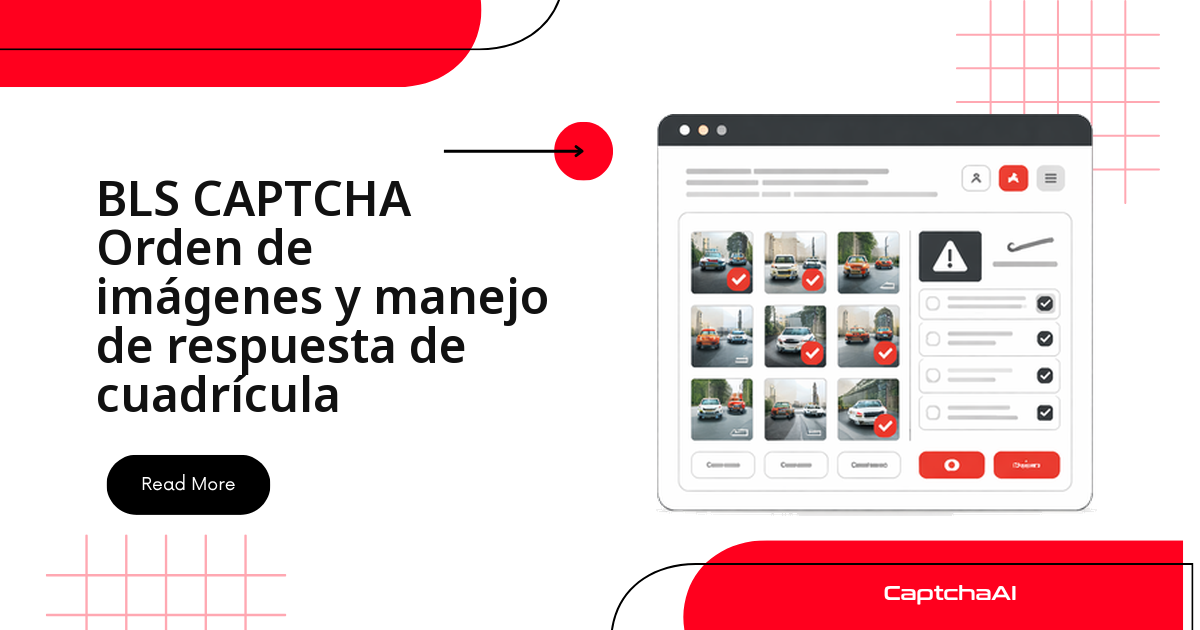
Una cuadrícula BLS presenta un conjunto de imágenes (normalmente 3x3 o 4x4) y una instrucción. El servidor no valida solo qué celdas eliges, sino en muchos casos en qué secuencia las eliges. Por eso el manejo de la respuesta se divide en dos decisiones: qué índices marcar y en qué orden enviarlos.
CaptchaAI recibe el desafío, lo resuelve de forma remota y te devuelve los índices de las celdas. Tu código traduce esos índices a clics reales sobre el DOM o a un valor en un campo oculto. Mantener esa correspondencia exacta entre el índice que devuelve la API y la celda física del navegador es lo que separa un flujo estable de uno que falla de forma intermitente. Antes de escribir nada, respeta los términos del portal y la normativa de datos aplicable (GDPR y LOPDGDD en España, o las leyes locales en América Latina): el objetivo es el QA de flujos propios, no acaparar citas.
Tipos de desafío de cuadrícula en BLS
Los portales BLS usan tres variantes, y cada una cambia cómo debes enviar la respuesta:
- Orden de imágenes: organiza las imágenes en una secuencia concreta (números ascendentes u orden alfabético). La posición de cada clic importa; es un desafío de secuencia.
- Selección de imágenes: marca las que cumplen una descripción ("selecciona todas las imágenes con texto"). El orden es indiferente: cuenta el conjunto correcto de celdas.
- Coincidencia de patrones: identifica qué imágenes coinciden con la muestra que se presenta junto al desafío.
Mapear la cuadrícula a índices
El primer paso es fijar una convención de índices coherente entre lo que ves y lo que envías. Cada celda tiene un índice plano (0, 1, 2…) que puedes convertir a fila y columna, y viceversa. Estas dos funciones evitan errores de descuadre cuando el sitio usa una numeración distinta a la tuya.
# grid_mapping.py

# BLS grids typically use 3x3 or 4x4 layouts
# Each cell maps to an index:

# 3x3 grid:
# [0] [1] [2]
# [3] [4] [5]
# [6] [7] [8]

# 4x4 grid:
#  [0]  [1]  [2]  [3]
#  [4]  [5]  [6]  [7]
#  [8]  [9] [10] [11]
# [12] [13] [14] [15]

def grid_position(index, cols=3):
    """Convert flat index to row, column."""
    return index // cols, index % cols


def index_from_position(row, col, cols=3):
    """Convert row, column to flat index."""
    return row * cols + col


# Example: For a 3x3 grid, position (1, 2) = index 5
print(grid_position(5, cols=3))   # (1, 2)
print(index_from_position(1, 2))  # 5
Resolver la cuadrícula BLS con la API de CaptchaAI
Con el mapeo claro, envías el desafío a CaptchaAI. El patrón es el habitual de la API: un POST al endpoint in.php con el método bls, el sitekey y la pageurl, y luego un sondeo del resultado en res.php hasta que la tarea esté lista. Si el desafío incluye instrucciones textuales, pásalas en el parámetro instructions para que el solver sepa qué buscar.
# solve_bls_grid.py
import requests
import time
import os
import json


def solve_bls_grid(sitekey, pageurl, instructions=None):
    """Solve a BLS grid CAPTCHA and get response indices."""
    api_key = os.environ["CAPTCHAAI_API_KEY"]

    payload = {
        "key": api_key,
        "method": "bls",
        "sitekey": sitekey,
        "pageurl": pageurl,
        "json": 1,
    }
    if instructions:
        payload["instructions"] = instructions

    resp = requests.post(
        "https://ocr.captchaai.com/in.php",
        data=payload,
        timeout=30,
    )
    result = resp.json()
    if result.get("status") != 1:
        raise RuntimeError(f"Submit failed: {result.get('request')}")

    task_id = result["request"]

    time.sleep(10)
    for _ in range(30):
        resp = requests.get("https://ocr.captchaai.com/res.php", params={
            "key": api_key,
            "action": "get",
            "id": task_id,
            "json": 1,
        }, timeout=15)
        data = resp.json()
        if data.get("status") == 1:
            return data["request"]
        if data["request"] != "CAPCHA_NOT_READY":
            raise RuntimeError(data["request"])
        time.sleep(5)

    raise TimeoutError("BLS grid solve timeout")
Interpretar la respuesta del solver
La respuesta puede llegar como JSON o como índices separados por comas. Normalízala siempre a una estructura predecible antes de tocar el navegador. La segunda función convierte los índices en una máscara de bits (bitmask) cuando el formulario la espera: un 1 por celda marcada y un 0 por celda vacía.
# parse_response.py
import json


def parse_grid_response(solution):
    """Parse CaptchaAI BLS response into actionable grid data."""
    # Solution may be JSON or comma-separated indices
    if isinstance(solution, str):
        try:
            parsed = json.loads(solution)
            return parsed
        except json.JSONDecodeError:
            pass

        # Try comma-separated indices
        if "," in solution:
            return [int(x.strip()) for x in solution.split(",")]

        # Single value
        return [solution]

    return solution


def format_for_submission(indices, grid_size=9):
    """Format indices for form submission."""
    # Some sites expect a bitmask
    bitmask = ["0"] * grid_size
    for idx in indices:
        if isinstance(idx, int) and 0 <= idx < grid_size:
            bitmask[idx] = "1"

    return {
        "indices": indices,
        "bitmask": "".join(bitmask),
        "count": len(indices),
    }
Inyectar la solución en el formulario con Selenium
Aquí es donde el orden se hace tangible. click_grid_cells sirve para desafíos de selección (el orden no importa), mientras que set_order_sequence está pensada para desafíos de secuencia: usa pausas más largas entre clics porque muchos formularios BLS registran el orden por el tiempo entre eventos. Si el sitio guarda la respuesta en un campo oculto en lugar de esperar clics, inject_hidden_response escribe el valor directamente.
# inject_grid.py
from selenium.webdriver.common.by import By
from selenium.webdriver.support.ui import WebDriverWait
from selenium.webdriver.support import expected_conditions as EC
import time


def click_grid_cells(driver, indices):
    """Click specific grid cells based on solution indices."""
    wait = WebDriverWait(driver, 10)

    # Find all grid cells
    cells = wait.until(
        EC.presence_of_all_elements_located(
            (By.CSS_SELECTOR, ".captcha-grid .cell, .bls-grid img, .grid-item")
        )
    )

    for idx in indices:
        if isinstance(idx, int) and idx < len(cells):
            cells[idx].click()
            time.sleep(0.3)  # Brief delay between clicks


def set_order_sequence(driver, ordered_indices):
    """Click grid cells in the correct order for ordering challenges."""
    wait = WebDriverWait(driver, 10)

    cells = wait.until(
        EC.presence_of_all_elements_located(
            (By.CSS_SELECTOR, ".captcha-grid .cell, .bls-grid img")
        )
    )

    for idx in ordered_indices:
        if isinstance(idx, int) and idx < len(cells):
            cells[idx].click()
            time.sleep(0.5)  # Ordering needs pauses between clicks


def inject_hidden_response(driver, solution_value):
    """Set the solution in a hidden input field."""
    driver.execute_script("""
        var inputs = document.querySelectorAll(
            'input[name*="captcha"], input[name*="response"], #captcha-answer'
        );
        for (var i = 0; i < inputs.length; i++) {
            inputs[i].value = arguments[0];
        }
    """, str(solution_value))
Flujo completo de la cuadrícula BLS
Uniendo las piezas, este flujo detecta el CAPTCHA, extrae el sitekey y las instrucciones, lo resuelve por API y decide entre respuesta por clic o por campo oculto según la página. Adáptalo a cada portal cambiando solo los selectores CSS.
# full_flow.py
from selenium import webdriver
from selenium.webdriver.common.by import By
from selenium.webdriver.support.ui import WebDriverWait
from selenium.webdriver.support import expected_conditions as EC


def handle_bls_grid(driver, pageurl):
    """Complete BLS grid CAPTCHA handling."""

    wait = WebDriverWait(driver, 15)

    # Wait for CAPTCHA to load
    captcha = wait.until(
        EC.presence_of_element_located(
            (By.CSS_SELECTOR, "[data-sitekey], .bls-captcha")
        )
    )
    sitekey = captcha.get_attribute("data-sitekey")

    # Get instructions
    instructions = None
    try:
        inst = driver.find_element(By.CSS_SELECTOR, ".captcha-instructions")
        instructions = inst.text.strip()
    except Exception:
        pass

    # Solve via CaptchaAI
    solution = solve_bls_grid(sitekey, pageurl, instructions)
    parsed = parse_grid_response(solution)

    # Determine response method
    grid_cells = driver.find_elements(
        By.CSS_SELECTOR, ".captcha-grid .cell, .bls-grid img"
    )

    if grid_cells:
        # Click-based response
        if isinstance(parsed, list) and all(isinstance(x, int) for x in parsed):
            click_grid_cells(driver, parsed)
        else:
            inject_hidden_response(driver, solution)
    else:
        # Hidden input response
        inject_hidden_response(driver, solution)

    # Submit
    submit = driver.find_element(
        By.CSS_SELECTOR, "button[type='submit'], .submit-btn, #verify"
    )
    submit.click()

    return True
Solución de problemas
La mayoría de los fallos en cuadrículas BLS no vienen del solver, sino del paso de inyección: selectores que no coinciden, clics demasiado rápidos o un formato de respuesta que el sitio no espera. Esta tabla resume los síntomas más frecuentes y cómo corregirlos.
| Problema | Causa | Solución |
|---|---|---|
| Clics en celdas equivocadas | El selector de celdas de la cuadrícula no coincide | Inspecciona el HTML de la cuadrícula y actualiza los selectores CSS |
| Envío rechazado | Clics demasiado rápidos | Añade pausas de 300 a 500 ms entre clics |
| El formato de la solución no coincide | El sitio espera una máscara de bits y recibe índices | Usa format_for_submission() para convertir |
| Cuadrícula no cargada del todo | Las imágenes cargan lentamente | Espera a que carguen todas las imágenes antes de resolver |
Costo predecible por volumen
CaptchaAI factura por thread concurrente, no por resolución: cada plan incluye resoluciones ilimitadas por thread durante el mes. Este modelo de costo mensual fijo en USD resulta cómodo para agencias y freelancers que facturan en monedas locales volátiles, porque el gasto no depende de cuántas cuadrículas resuelvas, sino de cuántas proceses a la vez.
Preguntas frecuentes
¿Cómo distingo un desafío de orden de uno de selección?
Depende de la instrucción. Si el texto pide "ordena" u "organiza en secuencia", usa set_order_sequence y respeta el orden de los índices; si pide "selecciona todas las imágenes con…", el orden es indiferente y basta click_grid_cells.
¿Qué hago si el solver devuelve CAPCHA_NOT_READY o un tiempo de espera?
CAPCHA_NOT_READY significa que la tarea aún se está resolviendo: sigue sondeando res.php con la pausa que ya trae el ejemplo. Si agotas los reintentos, envía el desafío de nuevo en lugar de reutilizar el mismo task_id.
¿Puedo reutilizar una solución de cuadrícula BLS?
No. Cada solución queda ligada a una sesión de desafío concreta, así que resuelve siempre en fresco. Guardar índices de un intento anterior lleva a rechazos.
¿Qué plan de CaptchaAI necesito para resolver muchas cuadrículas?
Como el cobro es por thread y no por resolución, el plan lo marca cuántos desafíos procesas a la vez, no el total. BASIC ($15/mes, 5 threads) cubre un flujo de QA típico; escala a ADVANCE ($90/mes, 50 threads) si corres varios portales en paralelo.
¿Es legal automatizar el CAPTCHA de un portal de visados BLS?
Depende del uso. Automatizar el monitoreo o el QA de un flujo propio y autorizado suele estar dentro de lo aceptable, siempre que respetes los términos del portal y la normativa de datos aplicable. Evita cualquier uso orientado a acaparar citas.
Guías relacionadas
Automatiza cuadrículas BLS con precisión: empieza con CaptchaAI.