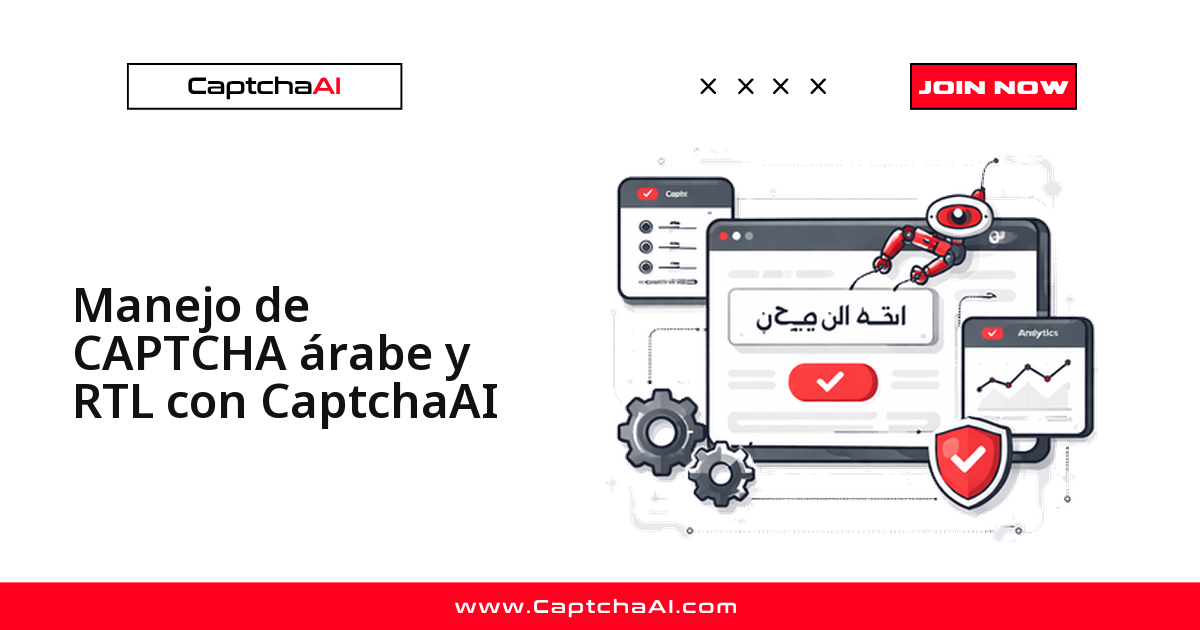
El solver Image/OCR de CaptchaAI resuelve un CAPTCHA de imagen en árabe, farsi o hebreo con el mismo endpoint que usas para cualquier otra imagen: envías la imagen en base64 con el parámetro language=2 y recibes el texto reconocido. El trabajo real no está en el reconocimiento del carácter, sino en todo lo que rodea a un sitio de derecha a izquierda (RTL): la escritura conectada que cambia de forma según la posición, el texto bidireccional que mezcla números latinos con árabe, y los formularios que reflejan su diseño. Esta guía cubre las tres cosas con código listo para copiar.
Por qué la escritura RTL complica el OCR
Un CAPTCHA en árabe no es solo "otro idioma" para el motor de reconocimiento. La escritura árabe es cursiva por naturaleza: cada letra adopta una forma distinta según las letras vecinas, y el orden de lectura invierte la lógica que asumen muchos flujos de automatización. Estos son los puntos que conviene tener claros antes de escribir una sola línea.
| Desafío | Detalle |
|---|---|
| Conexión de caracteres | Las letras árabes cambian de forma según los caracteres vecinos |
| Lectura de derecha a izquierda | El texto del CAPTCHA se lee de derecha a izquierda |
| Dirección mixta | Los números y el texto latino se mezclan con el árabe (texto bidireccional) |
| Marcas diacríticas | Puntos y signos encima o debajo de los caracteres (شين frente a سين) |
| Diseño de página RTL | La ubicación del formulario y del CAPTCHA difiere respecto a un diseño LTR |
Python: resolver un CAPTCHA de imagen en árabe
El flujo es el estándar de CaptchaAI: envías la imagen al endpoint in.php de ocr.captchaai.com, recibes un task_id y consultas el resultado en res.php cada cinco segundos hasta que esté listo (hasta 24 intentos, unos dos minutos de margen). La única diferencia frente a un CAPTCHA en inglés es el parámetro language=2, que activa el soporte de caracteres no latinos. No necesitas configurar nada extra en tu cuenta.
import requests
import base64
import time

API_KEY = "YOUR_API_KEY"
SUBMIT_URL = "https://ocr.captchaai.com/in.php"
RESULT_URL = "https://ocr.captchaai.com/res.php"


def solve_arabic_captcha(image_path: str) -> str:
    """Solve an Arabic script image CAPTCHA."""
    with open(image_path, "rb") as f:
        image_b64 = base64.b64encode(f.read()).decode()

    resp = requests.post(SUBMIT_URL, data={
        "key": API_KEY,
        "method": "base64",
        "body": image_b64,
        "language": 2,          # Non-Latin character support
        "json": 1,
    }, timeout=30).json()

    if resp.get("status") != 1:
        raise RuntimeError(f"Submit: {resp.get('request')}")

    task_id = resp["request"]
    for _ in range(24):
        time.sleep(5)
        poll = requests.get(RESULT_URL, params={
            "key": API_KEY, "action": "get", "id": task_id, "json": 1,
        }, timeout=15).json()

        if poll.get("request") == "CAPCHA_NOT_READY":
            continue
        if poll.get("status") == 1:
            return poll["request"]
        raise RuntimeError(f"Solve: {poll.get('request')}")

    raise RuntimeError("Timeout")


def solve_arabic_captcha_from_url(session: requests.Session,
                                   captcha_url: str) -> str:
    """Download and solve an Arabic CAPTCHA from a URL."""
    resp = session.get(captcha_url, timeout=15)
    image_b64 = base64.b64encode(resp.content).decode()

    submit = requests.post(SUBMIT_URL, data={
        "key": API_KEY,
        "method": "base64",
        "body": image_b64,
        "language": 2,
        "json": 1,
    }, timeout=30).json()

    if submit.get("status") != 1:
        raise RuntimeError(f"Submit: {submit.get('request')}")

    task_id = submit["request"]
    for _ in range(24):
        time.sleep(5)
        poll = requests.get(RESULT_URL, params={
            "key": API_KEY, "action": "get", "id": task_id, "json": 1,
        }, timeout=15).json()

        if poll.get("request") == "CAPCHA_NOT_READY":
            continue
        if poll.get("status") == 1:
            return poll["request"]
        raise RuntimeError(f"Solve: {poll.get('request')}")

    raise RuntimeError("Timeout")


# --- RTL-aware form submission ---

def submit_form_with_arabic_captcha(
    form_url: str,
    captcha_url: str,
    form_data: dict,
    captcha_field: str = "captcha",
) -> requests.Response:
    """Complete an Arabic website form with CAPTCHA."""
    session = requests.Session()
    session.headers.update({
        "Accept-Language": "ar-SA,ar;q=0.9",
        "Content-Type": "application/x-www-form-urlencoded; charset=UTF-8",
    })

    # Load the form page to establish session
    session.get(form_url, timeout=15)

    # Solve the CAPTCHA
    captcha_text = solve_arabic_captcha_from_url(session, captcha_url)
    print(f"Arabic CAPTCHA solved: {captcha_text}")

    # Submit with the solved text
    form_data[captcha_field] = captcha_text
    response = session.post(form_url, data=form_data, timeout=30)

    return response


# --- Usage ---

# Simple Arabic image CAPTCHA
text = solve_arabic_captcha("arabic_captcha.png")
print(f"Arabic text: {text}")

# Form submission on Arabic site
response = submit_form_with_arabic_captcha(
    form_url="https://example.sa/registration",
    captcha_url="https://example.sa/captcha/generate",
    form_data={
        "name": "اسم المستخدم",
        "email": "[email protected]",
    },
)
Fíjate en la cabecera Content-Type con charset=UTF-8: sin ella, el texto árabe que envías en el formulario llega corrupto al servidor. Es el error de codificación más común en este tipo de integraciones.
JavaScript: resolver e inyectar el token en una página RTL
Cuando automatizas el navegador con Playwright, el reto añadido es localizar el CAPTCHA. Un diseño RTL refleja la página, así que el formulario y su imagen pueden aparecer en el lado opuesto respecto a un sitio LTR. La regla práctica: nunca dependas de coordenadas ni de "el primer input de la izquierda"; usa selectores CSS por id o name, que son estables sea cual sea la dirección del texto.
const API_KEY = "YOUR_API_KEY";
const SUBMIT_URL = "https://ocr.captchaai.com/in.php";
const RESULT_URL = "https://ocr.captchaai.com/res.php";
const fs = require("fs");

async function solveArabicCaptcha(imagePath) {
  const imageB64 = fs.readFileSync(imagePath, "base64");

  const body = new URLSearchParams({
    key: API_KEY,
    method: "base64",
    body: imageB64,
    language: "2",
    json: "1",
  });

  const resp = await (await fetch(SUBMIT_URL, { method: "POST", body })).json();
  if (resp.status !== 1) throw new Error(`Submit: ${resp.request}`);

  const taskId = resp.request;
  for (let i = 0; i < 24; i++) {
    await new Promise((r) => setTimeout(r, 5000));
    const url = `${RESULT_URL}?key=${API_KEY}&action=get&id=${taskId}&json=1`;
    const poll = await (await fetch(url)).json();
    if (poll.request === "CAPCHA_NOT_READY") continue;
    if (poll.status === 1) return poll.request;
    throw new Error(`Solve: ${poll.request}`);
  }
  throw new Error("Timeout");
}

// Inject CAPTCHA token into RTL page with Playwright
async function solveAndInjectRTL(page) {
  // RTL pages may position the CAPTCHA differently
  const captchaImg = await page.locator("img[id*='captcha'], img[class*='captcha']");
  const imgSrc = await captchaImg.getAttribute("src");

  // Download the image
  const buffer = await (await fetch(imgSrc)).arrayBuffer();
  const imageB64 = Buffer.from(buffer).toString("base64");

  // Solve
  const body = new URLSearchParams({
    key: API_KEY, method: "base64", body: imageB64,
    language: "2", json: "1",
  });
  const resp = await (await fetch(SUBMIT_URL, { method: "POST", body })).json();
  if (resp.status !== 1) throw new Error(`Submit: ${resp.request}`);

  const taskId = resp.request;
  for (let i = 0; i < 24; i++) {
    await new Promise((r) => setTimeout(r, 5000));
    const url = `${RESULT_URL}?key=${API_KEY}&action=get&id=${taskId}&json=1`;
    const poll = await (await fetch(url)).json();
    if (poll.request === "CAPCHA_NOT_READY") continue;
    if (poll.status === 1) {
      // Fill the input — RTL input handles text direction automatically
      await page.locator("input[name*='captcha']").fill(poll.request);
      return poll.request;
    }
    throw new Error(`Solve: ${poll.request}`);
  }
}

// Usage
const text = await solveArabicCaptcha("arabic_captcha.png");
console.log(`Arabic text: ${text}`);
Escrituras RTL compatibles
El mismo language=2 cubre las tres familias de escritura RTL más habituales en la web. No hay que cambiar de método ni de endpoint entre ellas.
| Escritura | Idiomas | Ejemplo |
|---|---|---|
| Árabe | Árabe, urdu, pastún | عربي، أبجدية |
| Farsi/persa | Farsi | فارسی |
| Hebreo | Hebreo | עברית |
Un caso real: portales de citas y trámites en árabe
Un escenario frecuente entre agencias de Latinoamérica y España: la gestión de citas en portales de visado BLS o en servicios consulares y de trámites de Oriente Medio y el norte de África, donde la interfaz combina un CAPTCHA de imagen en árabe con formularios RTL. El mismo patrón aparece en portales públicos con OCR de texto —desde una cita previa administrativa hasta un trámite fiscal— cuando el operador necesita automatizar el control de calidad de su propio flujo autorizado y validar que el envío llega bien codificado. En todos estos casos, resuelve el CAPTCHA con language=2, envía el formulario con charset=UTF-8 y respeta siempre los términos de servicio del portal y la normativa de protección de datos aplicable.
Errores frecuentes y cómo solucionarlos
| Síntoma | Causa | Solución |
|---|---|---|
| El texto árabe aparece invertido en la salida | El cliente muestra el texto RTL como LTR | Envuelve la salida en \u202B (incrustación RTL) o usa una vista compatible con RTL |
| Faltan las marcas diacríticas | Imagen de baja resolución | Usa imágenes de CAPTCHA con mayor resolución |
| Texto bidireccional (árabe + números) desordenado | El algoritmo BiDi se aplica de forma inconsistente | Controla los caracteres direccionales con marcadores Unicode explícitos |
| El envío del formulario falla con texto en árabe | Codificación incompatible | Usa charset=UTF-8 en la cabecera Content-Type |
| La posición del CAPTCHA no es la esperada | El diseño RTL refleja la posición de los elementos | Usa selectores CSS en lugar de detección por posición |
Preguntas frecuentes
¿Necesito configurar algo especial en mi cuenta para el árabe?
No. Se usa el mismo solver Image/OCR y la misma API key que para cualquier CAPTCHA de imagen. Lo único que cambia es el parámetro language=2 en el envío, que le indica al motor que espere caracteres no latinos.
¿CaptchaAI resuelve CAPTCHA en hebreo y en farsi además del árabe?
Sí. Las tres escrituras se envían con language=2. El farsi usa la base de la escritura árabe con algunas letras adicionales, y el hebreo es un alfabeto RTL distinto; el motor reconoce el conjunto de caracteres extendido de forma automática, sin cambiar de endpoint.
¿Cómo controlo los costos al resolver miles de CAPTCHA en árabe?
CaptchaAI factura por thread (un CAPTCHA simultáneo), con resoluciones ilimitadas por thread durante el mes. El plan BASIC cuesta $15/mes con 5 threads y STANDARD $30/mes con 15 threads; subes de plan solo cuando necesitas más concurrencia, no por resolver más CAPTCHA. Así el costo mensual en USD es predecible aunque el volumen fluctúe.
¿Por qué el texto en árabe se muestra al revés después de enviarlo?
Casi siempre es un problema de presentación, no del texto: el cliente pinta la cadena RTL como si fuera LTR, o la codificación no viaja como UTF-8. Envía el formulario con charset=UTF-8 y, si necesitas mostrar el valor, envuélvelo con marcadores Unicode de dirección como \u202B.
Empieza a resolver CAPTCHA en árabe y RTL
El manejo de escritura árabe, farsi y hebrea no requiere un flujo aparte: es el mismo OCR con language=2. Obtén tu API key de CaptchaAI y resuelve cualquier conjunto de caracteres RTL desde tu primer envío.
Guías relacionadas:
- Resolver CAPTCHA en sitios web chinos
- Configuración de idioma y localización de CAPTCHA