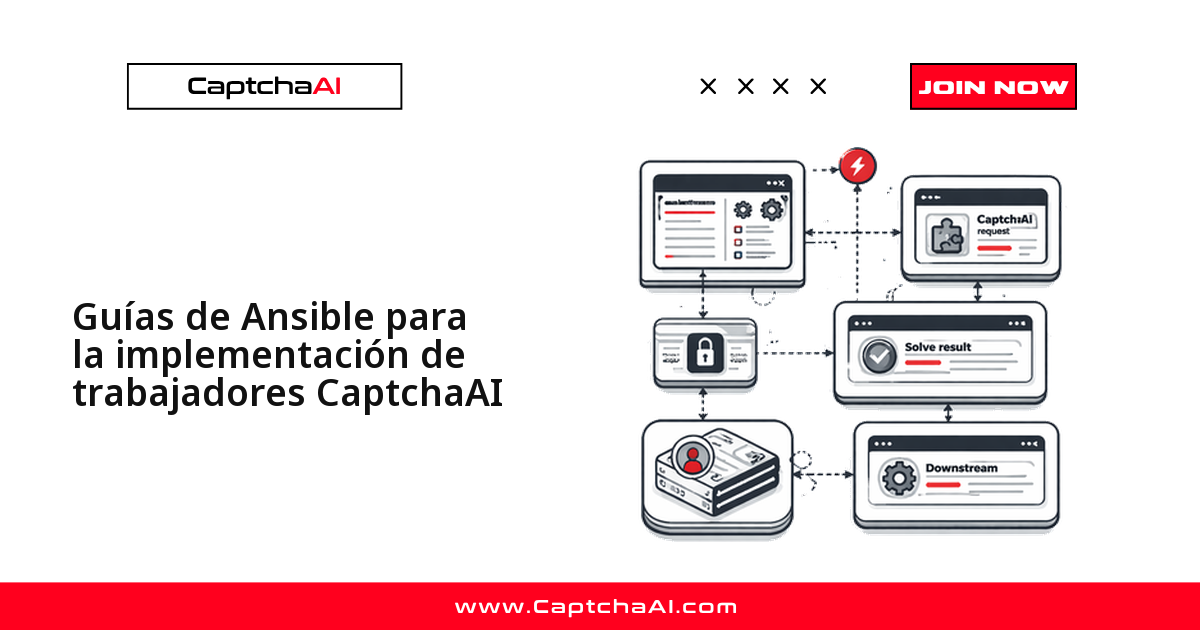
Cuando resuelves CAPTCHA a gran volumen, un solo worker no basta: necesitas una flota de servidores idénticos que puedas actualizar sin cortar el servicio. Ansible te da justo eso. En unos pocos playbooks describes cómo debe quedar cada máquina —usuario del servicio, entorno de Python, unidad systemd y configuración— y Ansible lo aplica de forma reproducible en toda la flota, con actualizaciones continuas host por host.
Piensa en una agencia de datos en Ciudad de México con diez servidores de scraping y QA. En vez de entrar por SSH a cada máquina, describe la flota una vez y aplica cada cambio con un comando, con un costo del solver predecible en USD.
Cuándo conviene Ansible frente a un despliegue manual
Actualizar workers a mano se vuelve inmanejable en cuanto pasas de dos o tres servidores. Ansible resuelve tres problemas típicos de una flota que resuelve CAPTCHA:
- Configuración reproducible: cada host queda idéntico, sin el clásico "funciona en este servidor pero no en aquel".
- Actualizaciones sin downtime: el rolling update cambia un host a la vez y solo avanza si el health check pasa.
- Secretos centralizados: la API key se cifra con Ansible Vault en lugar de copiarse a mano en cada máquina.
Terraform y Ansible se complementan: Terraform crea los servidores y Ansible los configura. Si ya provisionas la flota con Terraform, estos playbooks son el paso siguiente.
Como CaptchaAI factura por thread y no por resolución, la concurrencia total de la flota debería caber en los threads de tu plan.
| Plan | Threads | Concurrencia total sugerida |
|---|---|---|
| BASIC ($15/mes) | 5 | hasta 5 |
| STANDARD ($30/mes) | 15 | hasta 15 |
| ADVANCE ($90/mes) | 50 | hasta 50 |
Estructura del proyecto
Ansible espera una convención de carpetas concreta: rol, inventario y playbooks separados. Respetarla desde el principio te evita problemas de rutas más adelante.
ansible/
├── inventory/
│   ├── production.yml
│   └── staging.yml
├── roles/
│   └── captcha-worker/
│       ├── tasks/
│       │   └── main.yml
│       ├── templates/
│       │   ├── captcha-worker.service.j2
│       │   └── config.yaml.j2
│       ├── handlers/
│       │   └── main.yml
│       └── defaults/
│           └── main.yml
├── playbooks/
│   ├── deploy.yml
│   ├── rolling-update.yml
│   └── health-check.yml
└── ansible.cfg
Inventario: producción y staging
El inventario declara qué servidores forman la flota y con qué parámetros corre cada worker. Separar producción de staging te deja probar una versión nueva (por ejemplo, 1.4.0-rc1) con baja concurrencia antes de tocar los servidores reales. El valor captchaai_concurrency define cuántos CAPTCHA resuelve cada host en paralelo, así que ajústalo al número de threads de tu plan.
# inventory/production.yml
all:
  children:
    captcha_workers:
      hosts:
        worker-1:
          ansible_host: 10.0.1.10
        worker-2:
          ansible_host: 10.0.1.11
        worker-3:
          ansible_host: 10.0.1.12
      vars:
        captchaai_concurrency: 20
        captchaai_poll_interval: 3
        captchaai_log_level: warning
        worker_version: "1.3.0"
# inventory/staging.yml
all:
  children:
    captcha_workers:
      hosts:
        staging-worker-1:
          ansible_host: 10.0.2.10
      vars:
        captchaai_concurrency: 5
        captchaai_poll_interval: 5
        captchaai_log_level: debug
        worker_version: "1.4.0-rc1"
Estos son los parámetros que ajustas por entorno:
| Variable | Qué controla |
|---|---|
captchaai_concurrency |
CAPTCHA resueltos en paralelo por host |
captchaai_poll_interval |
Segundos entre consultas del resultado |
captchaai_log_level |
Verbosidad del log (debug en staging, warning en producción) |
worker_version |
Etiqueta de la versión desplegada; es la clave para el rollback |
El rol captcha-worker
Toda la lógica de instalación vive en un rol reutilizable. Así el mismo código configura un servidor o cien, y cada máquina queda idéntica.
Variables por defecto
Los valores por defecto del rol actúan como red de seguridad: si el inventario no define algo, se usa esto.
# roles/captcha-worker/defaults/main.yml
captchaai_concurrency: 10
captchaai_poll_interval: 5
captchaai_log_level: info
captchaai_timeout: 300
captchaai_retries: 3
worker_version: "latest"
worker_user: captcha
worker_dir: /opt/captcha-worker
worker_venv: /opt/captcha-worker/venv
Tareas de aprovisionamiento
Las tareas corren en orden y son idempotentes: crean el usuario del servicio, preparan el entorno de Python, despliegan el worker con su configuración y registran la unidad systemd. Volver a lanzarlas sobre un host ya configurado no cambia nada.
# roles/captcha-worker/tasks/main.yml
---

- name: Create worker user
  ansible.builtin.user:
    name: "{{ worker_user }}"
    system: true
    shell: /usr/sbin/nologin
    home: "{{ worker_dir }}"

- name: Create worker directory
  ansible.builtin.file:
    path: "{{ worker_dir }}"
    state: directory
    owner: "{{ worker_user }}"
    mode: "0755"

- name: Install system dependencies
  ansible.builtin.apt:
    name:

      - python3
      - python3-venv
      - python3-pip
    state: present
    update_cache: true

- name: Create Python virtual environment
  ansible.builtin.command:
    cmd: python3 -m venv {{ worker_venv }}
    creates: "{{ worker_venv }}/bin/activate"

- name: Install Python dependencies
  ansible.builtin.pip:
    name:

      - requests>=2.31.0
      - pyyaml>=6.0
    virtualenv: "{{ worker_venv }}"

- name: Deploy worker application
  ansible.builtin.copy:
    src: captcha_worker.py
    dest: "{{ worker_dir }}/captcha_worker.py"
    owner: "{{ worker_user }}"
    mode: "0644"
  notify: restart captcha-worker

- name: Deploy configuration
  ansible.builtin.template:
    src: config.yaml.j2
    dest: "{{ worker_dir }}/config.yaml"
    owner: "{{ worker_user }}"
    mode: "0600"
  notify: restart captcha-worker

- name: Deploy systemd service
  ansible.builtin.template:
    src: captcha-worker.service.j2
    dest: /etc/systemd/system/captcha-worker.service
    mode: "0644"
  notify:

    - reload systemd
    - restart captcha-worker

- name: Enable and start service
  ansible.builtin.systemd:
    name: captcha-worker
    enabled: true
    state: started
Plantillas: configuración y unidad systemd
Las plantillas Jinja2 generan la configuración y la unidad systemd a partir de las variables del inventario. Fíjate en el hardening: NoNewPrivileges y ProtectSystem limitan lo que el proceso puede tocar.
# roles/captcha-worker/templates/config.yaml.j2
# CaptchaAI Worker Configuration
# Managed by Ansible — do not edit manually
concurrency: {{ captchaai_concurrency }}
poll_interval: {{ captchaai_poll_interval }}
timeout: {{ captchaai_timeout }}
retries: {{ captchaai_retries }}
log_level: {{ captchaai_log_level }}
# roles/captcha-worker/templates/captcha-worker.service.j2
[Unit]
Description=CaptchaAI CAPTCHA Solving Worker
After=network.target
Wants=network-online.target

[Service]
Type=simple
User={{ worker_user }}
WorkingDirectory={{ worker_dir }}
ExecStart={{ worker_venv }}/bin/python {{ worker_dir }}/captcha_worker.py
Environment=CAPTCHAAI_API_KEY={{ captchaai_api_key }}
Restart=always
RestartSec=10
TimeoutStopSec=30

# Security hardening
NoNewPrivileges=true
ProtectSystem=strict
ReadWritePaths={{ worker_dir }}

[Install]
WantedBy=multi-user.target
Handlers
Los handlers solo se disparan cuando una tarea marca un cambio. Si actualizas la configuración, Ansible reinicia el servicio; si nada cambió, no lo toca.
# roles/captcha-worker/handlers/main.yml
---

- name: reload systemd
  ansible.builtin.systemd:
    daemon_reload: true

- name: restart captcha-worker
  ansible.builtin.systemd:
    name: captcha-worker
    state: restarted
Playbooks de operación
Con el rol listo, tres playbooks cubren todo el ciclo de vida de la flota: despliegue inicial, actualización continua y verificación de estado.
Despliegue inicial
El playbook de despliegue pide la API key de forma interactiva, verifica la conectividad, aplica el rol y confirma que el servicio quedó activo.
# playbooks/deploy.yml
---

- name: Deploy CaptchaAI Workers
  hosts: captcha_workers
  become: true
  vars_prompt:

    - name: captchaai_api_key
      prompt: "Enter CaptchaAI API key"
      private: true

  pre_tasks:

    - name: Verify connectivity
      ansible.builtin.ping:

  roles:

    - captcha-worker

  post_tasks:

    - name: Wait for worker to start
      ansible.builtin.wait_for:
        port: 8080
        timeout: 30
      ignore_errors: true

    - name: Check worker status
      ansible.builtin.systemd:
        name: captcha-worker
      register: worker_status

    - name: Report status
      ansible.builtin.debug:
        msg: "Worker {{ inventory_hostname }}: {{ worker_status.status.ActiveState }}"
Actualización continua sin downtime
serial: 1 procesa un host a la vez: drena las tareas en curso, despliega la versión nueva y no pasa al siguiente servidor hasta que el health check responde 200. Si un host falla, el despliegue se detiene y el resto de la flota sigue sirviendo.
# playbooks/rolling-update.yml
---

- name: Rolling Update CaptchaAI Workers
  hosts: captcha_workers
  become: true
  serial: 1   # Update one host at a time
  max_fail_percentage: 0

  tasks:

    - name: Drain current tasks
      ansible.builtin.command:
        cmd: "{{ worker_venv }}/bin/python {{ worker_dir }}/drain.py"
      timeout: 120
      ignore_errors: true

    - name: Stop worker
      ansible.builtin.systemd:
        name: captcha-worker
        state: stopped

    - name: Deploy new version
      ansible.builtin.copy:
        src: "captcha_worker.py"
        dest: "{{ worker_dir }}/captcha_worker.py"
        owner: "{{ worker_user }}"
        mode: "0644"

    - name: Update dependencies
      ansible.builtin.pip:
        requirements: "{{ worker_dir }}/requirements.txt"
        virtualenv: "{{ worker_venv }}"

    - name: Start worker
      ansible.builtin.systemd:
        name: captcha-worker
        state: started

    - name: Verify worker health
      ansible.builtin.uri:
        url: "http://localhost:8080/health"
        return_content: true
      register: health
      until: health.status == 200
      retries: 6
      delay: 10

    - name: Report update result
      ansible.builtin.debug:
        msg: "{{ inventory_hostname }} updated — {{ health.content }}"
Verificación de estado
Este playbook no cambia nada: solo comprueba el estado del servicio en cada host y consulta el saldo de la cuenta contra res.php desde tu máquina local.
# playbooks/health-check.yml
---

- name: Check CaptchaAI Worker Health
  hosts: captcha_workers
  become: false
  gather_facts: false

  tasks:

    - name: Check systemd service
      ansible.builtin.systemd:
        name: captcha-worker
      register: service_status
      become: true

    - name: Check API connectivity
      ansible.builtin.uri:
        url: "https://ocr.captchaai.com/res.php?key={{ captchaai_api_key }}&action=getbalance&json=1"
        return_content: true
      register: api_check
      delegate_to: localhost
      run_once: true

    - name: Summary
      ansible.builtin.debug:
        msg: |
          Host: {{ inventory_hostname }}
          Service: {{ service_status.status.ActiveState }}
          API Balance: {{ (api_check.content | from_json).request }}
Comandos para ejecutar los playbooks
El patrón es siempre el mismo: apunta a un inventario y lanza un playbook. Empieza por staging.
# Deploy to staging
ansible-playbook -i inventory/staging.yml playbooks/deploy.yml

# Rolling update in production
ansible-playbook -i inventory/production.yml playbooks/rolling-update.yml

# Health check
ansible-playbook -i inventory/production.yml playbooks/health-check.yml

# Limit to specific hosts
ansible-playbook -i inventory/production.yml playbooks/deploy.yml --limit worker-1
Buenas prácticas para operar la flota
Unos cuantos hábitos evitan sorpresas en producción:
- Prueba siempre en
stagingantes de tocar producción; el inventario ya viene separado para eso. - Fija una
worker_versionexplícita por entorno en lugar delatest, para que el rollback sea inmediato. - Programa el health check de forma periódica, no solo durante los despliegues.
Solución de problemas
| Problema | Causa | Solución |
|---|---|---|
Host unreachable |
Clave SSH no configurada | Agrega la clave SSH: ssh-copy-id user@host |
| El servicio no inicia | Falta la env var de la API key | Revisa vars_prompt o usa Ansible Vault |
| Actualización continua detenida | Falla el health check | Revisa journalctl -u captcha-worker y sube los reintentos |
| Configuración sin aplicar | Handler no disparado | Ejecuta con --force-handlers o añade changed_when: true |
Preguntas frecuentes
¿Cómo protejo la API key dentro de los playbooks?
Nunca la escribas en texto plano. Cífrala con Ansible Vault: ansible-vault encrypt_string 'tu-api-key' --name 'captchaai_api_key' y referencia la variable cifrada desde el inventario o las group vars. El playbook de despliegue también la pide con vars_prompt, así no queda en el historial del shell.
¿Qué valor de concurrency debo asignar a cada worker?
Depende de los threads de tu plan. captchaai_concurrency es cuántos CAPTCHA resuelve un host en paralelo, y la suma de todos los hosts no debería superar los threads que contrataste (por ejemplo, 5 en BASIC o 50 en ADVANCE). Reparte ese presupuesto entre los servidores y deja margen.
¿Cómo revierto una actualización que falló a mitad?
Como serial: 1 avanza host por host y se detiene ante el primer fallo del health check, la mayor parte de la flota sigue en la versión estable. Para volver atrás, fija worker_version a la etiqueta anterior y vuelve a lanzar el rolling-update: Ansible reiniciará solo los hosts afectados.
¿Cómo monitorizo la salud de la flota de forma continua?
El playbook de verificación de estado te da una foto puntual; para vigilancia continua conviene programarlo (con cron o un pipeline de CI) o exponer el endpoint /health de cada worker a tu sistema de métricas. La actualización continua ya usa ese mismo /health como puerta antes de pasar al siguiente host.
Próximos pasos
Automatiza tu flota de workers. Obtén tu API key de CaptchaAI y despliégala en todos tus servidores con playbooks de Ansible.
Guías relacionadas:
- Infraestructura como código con Terraform
- Resolución en contenedores Docker
- Gestión de configuración en producción